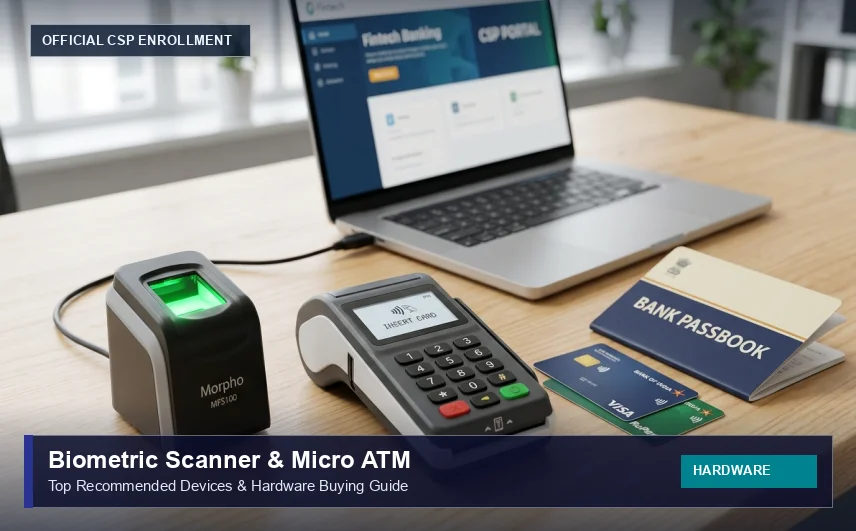
Best Biometric Fingerprint Scanner and Micro ATM for Bank CSP (2026 Buying Guide)
Operating a fast and reliable Customer Service Point (CSP) depends on having the right hardware tools. When a customer walks into your kiosk center to withdraw cash or open a bank account, your fingerprint scanner and micro ATM machine must work smoothly on the first try. In this buying guide, we review the top UIDAI-approved biometric devices and micro ATMs for Bank Mitras in simple, practical language.
Essential Hardware Required for a CSP Outlet
To run an authorized Bank Mitra outlet, you need the following core equipment:
- Aadhaar Biometric Fingerprint Scanner (for AEPS transactions & e-KYC account openings)
- Micro ATM Device (mATM) (for debit card swipe/chip withdrawals)
- Desktop Computer or Laptop (Windows 10/11 with minimum 4GB RAM)
- Thermal or Laser Printer (for customer transaction receipts)
- High-Speed Internet Connection (Broadband or 4G/5G mobile hotspot)
Top 3 Biometric Fingerprint Scanners for Bank CSP
1. Mantra MFS100 Optical Fingerprint Scanner (Most Popular & Affordable)
The Mantra MFS100 is the most widely used biometric device by CSP operators across India. It is recognized for durability, fast fingerprint capture even for elderly citizens with faded prints, and low maintenance costs.
- Price Range: ₹1,800 to ₹2,500
- Certification: UIDAI STQC certified, L0 and L1 RD Service ready
- Compatibility: Works seamlessly on Windows laptops, desktops, and Android mobile phones
- Key Advantage: Scratch-resistant optical sensor with rapid driver installation.
2. Morpho MSO 1300 E3 (High Precision & Heavy Duty)
Manufactured by Idemia, the Morpho 1300 E3 is the gold standard for high-volume banking correspondence. Many public sector banks (including SBI, PNB, and Bank of Baroda) officially recommend Morpho devices for their kiosk portals.
- Price Range: ₹3,200 to ₹4,200
- Certification: STQC certified with superior optical sensor technology
- Key Advantage: Best-in-class matching accuracy for dry, worn-out, or rough worker fingerprints.
3. Startek FM220U
A compact, reliable alternative used by thousands of CSPs, the Startek FM220U offers fast response times and stable USB connectivity across banking platforms.
- Price Range: ₹2,000 to ₹2,800
Micro ATM (mATM) Devices for Card Withdrawals
A Micro ATM is a portable handheld device paired with your smartphone or laptop via Bluetooth. It allows your kiosk outlet to act as a mini ATM machine for any bank customer carrying a RuPay, Visa, or Mastercard debit card.
- Customer Benefits: Customers can check their account balance and withdraw cash using their 4-digit ATM PIN without needing an Aadhaar link.
- Operator Benefits: You earn higher commissions (up to ₹15 per swipe) and attract salaried workers and students who prefer card banking.
Important Tips for Maintaining Your CSP Hardware
- Keep RD Service Updated: Always keep your UIDAI Registered Device (RD) Service software updated to avoid transaction timeouts.
- Clean Scanner Glass Daily: Use a soft microfiber cloth to clean grease and dust off the optical glass prism.
- Provide Hand Sanitizer / Moist Towelette: In rural areas, farm laborers often have dry or dusty fingers. A quick wipe ensures their fingerprint matches on the first scan.